Peptide & GLP-1 dose tracker
Every dose, every unit, every vial.
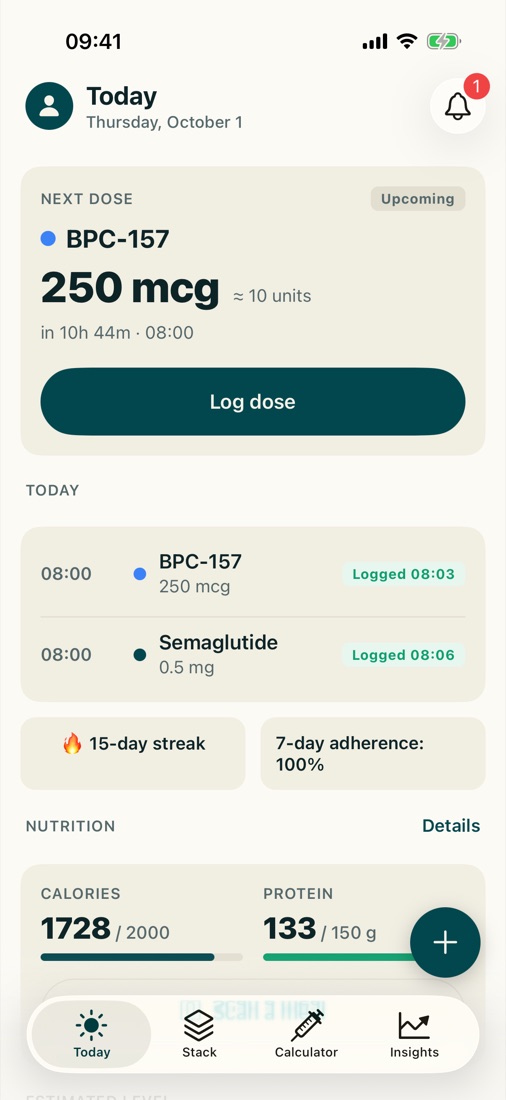
DoseKit is an iPhone app for keeping a record of the injectables you take: what, how much, when and where. It does the reconstitution and syringe-unit arithmetic, reminds you when a dose is due, counts down your vials, and keeps every log on your phone and backed up to your account.
Coming soon to theApp Store
For adults. A record-keeping tool, not medical advice.
Features
Log a dose, and where it went
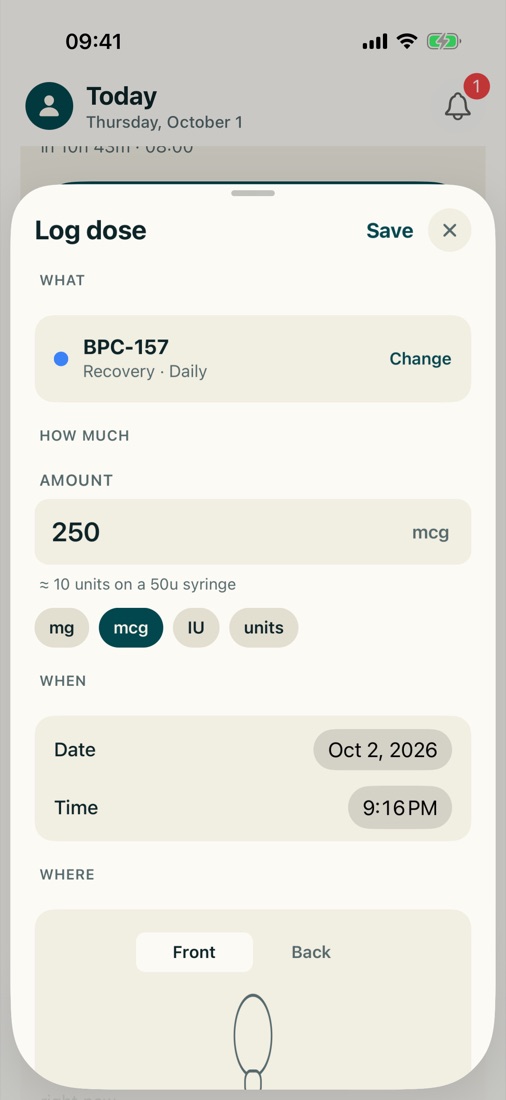
Record the compound, the amount, the time and the injection site. Enter amounts in mg, mcg, IU or syringe units. Forgot one? Backdate it, edit it or remove it later.
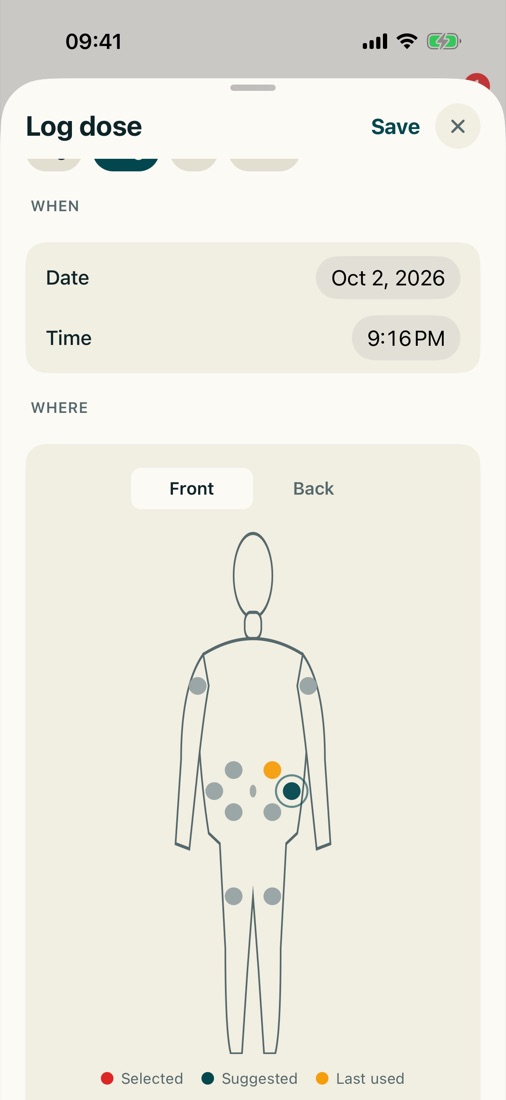
- Front and back body map with left and right zones
- Shows the site you used last and suggests the next one in your rotation
- A note on every log for how it went
Reconstitution and syringe units, calculated
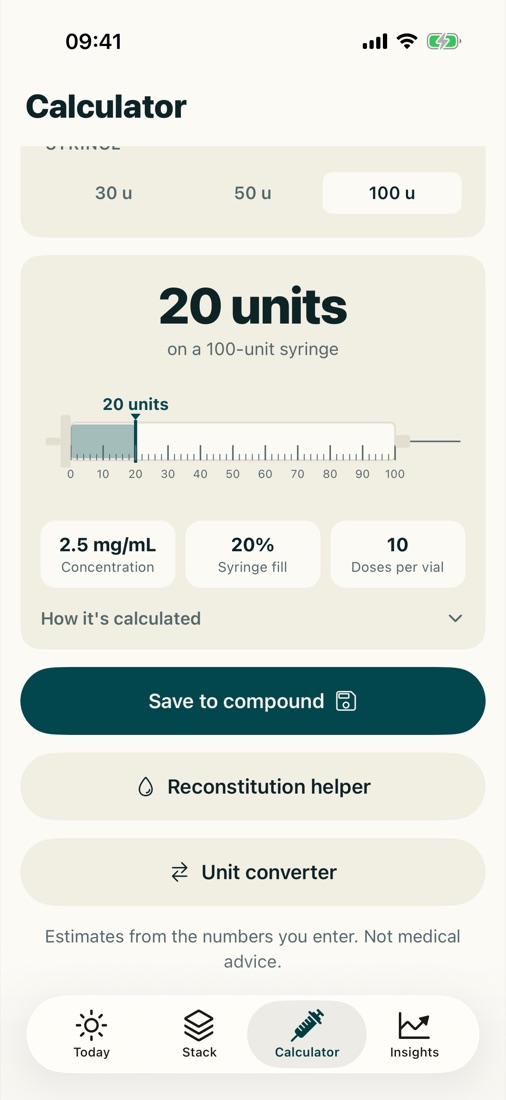
Enter the amount in the vial, the water you added and the dose you have decided on. DoseKit shows the concentration and how many units to draw, with the syringe pictured on screen.
It also works backwards: how much water to add for a target number of units. A unit converter is built in.
Results are arithmetic on the numbers you enter. Check them before you act on them.
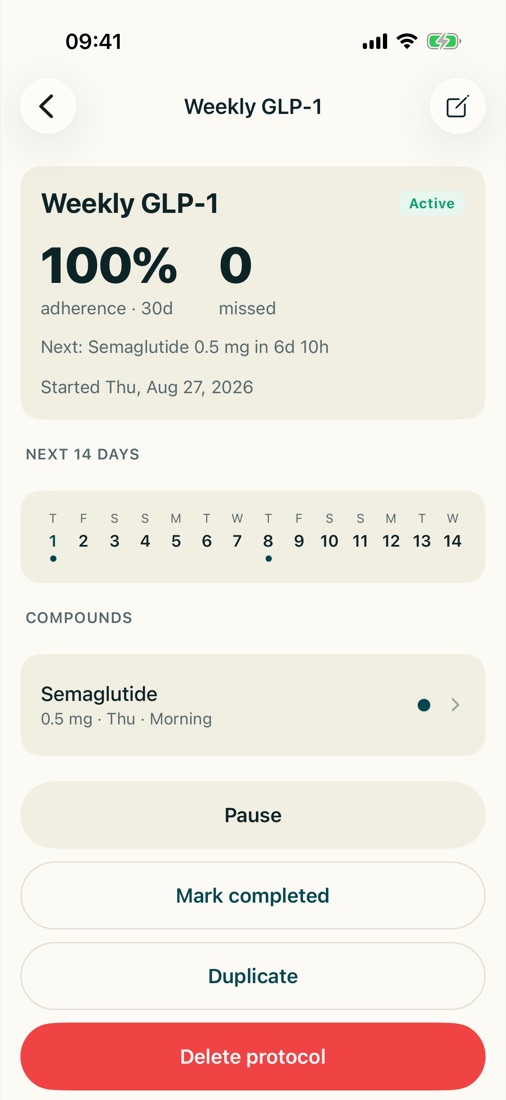
Protocols and reminders that match real life
Set up the schedule you actually follow: daily, twice daily, every N days, specific weekdays, 5-on/2-off, or weeks-on/weeks-off cycles.
- Reminders on your phone when a dose is due
- Pause, finish or duplicate a protocol
- Move a day or backdate a missed dose
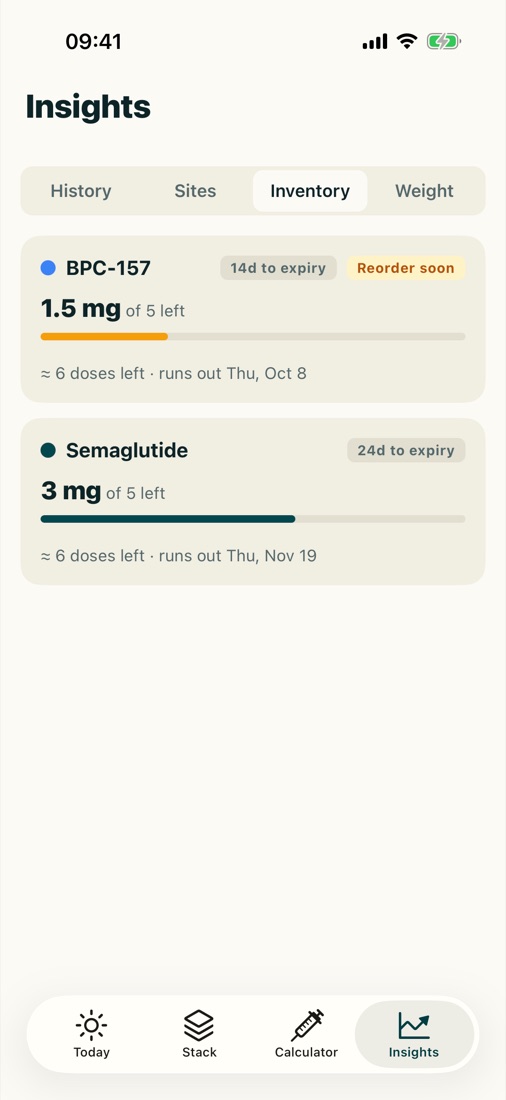
Inventory that counts down
Each dose you log comes off its vial, so you can see how much is left without doing the sums. Badges flag vials that are running low or close to their expiry date.
Pro adds a forecast of the date each vial runs out.
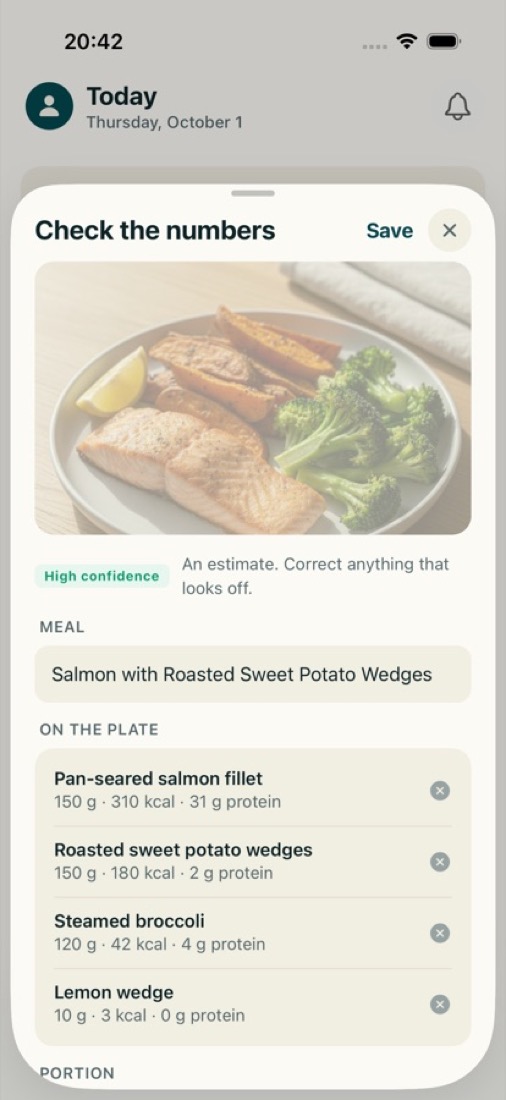
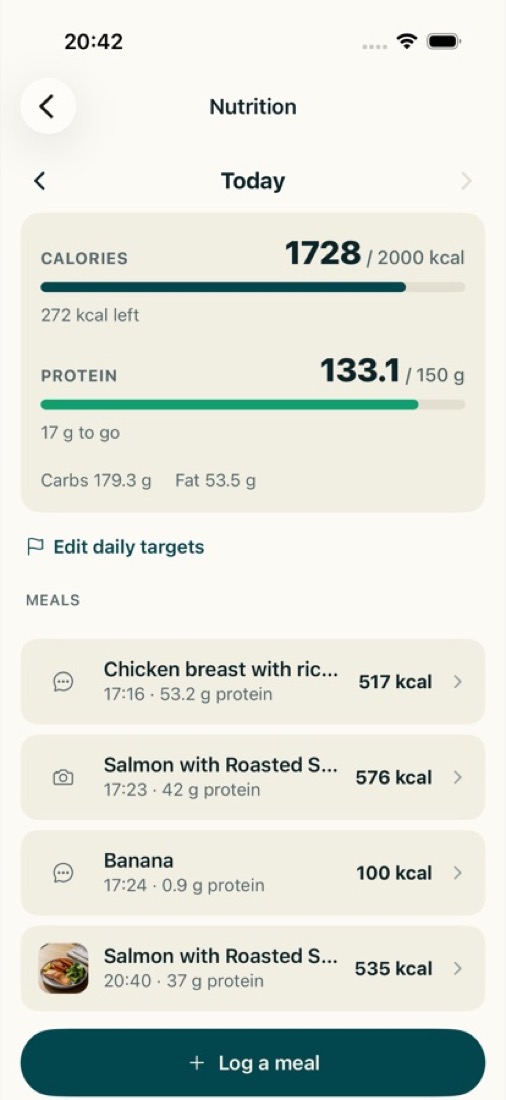
A meal scanner, if you want one
Photograph a meal or describe it in a few words and get an estimate of calories and protein to check, adjust and save. Track both against targets you set yourself.
Estimates are approximate. Only here for the doses? Switch meal tracking off in Settings.
Also in the app
Works offline, syncs to your account
Everything saves on your phone first, then syncs when you are signed in and online, so your history is backed up and on your other devices.
Any vial, any blend
Pick a compound from the library or add your own. Vials of any size, and blends logged as one dose.
History, adherence and streak
A calendar of every dose you have logged, with adherence against your schedule. Edit or backfill any day.
Weight log and journal
Log your weight and keep a daily journal for notes and side effects alongside your doses.
Estimated level chart (Pro)
A simplified mathematical model from your logged doses and the half-life you enter. It is not a measurement of anything in your body.
Report and CSV export (Pro)
A report of your records to share with your clinician, and a CSV export of your data.
In 12 languages
Switch language in Settings. Arabic runs right to left. The privacy policy and terms are in English.
- English
- Spanish
- Portuguese
- German
- French
- Italian
- Russian
- Japanese
- Korean
- Simplified Chinese
- Hindi
- Arabic
Free to use. Pro removes the limits.
Logging, the calculator, reminders, the body map and backup are in the free version. Pro lifts the limits and adds the charts, forecast and export.
| Feature | Free | Pro |
|---|---|---|
| Compounds | 2 | Unlimited |
| Active protocols | 1 | Unlimited |
| Dose logging, calculator, reminders and body map | Included | Included |
| Backup and sync | Included | Included |
| History | 30 days | All of it |
| AI meal scans | 3 a day | Unlimited |
| Estimated level chart | Not included | Included |
| Injection site heatmap | Not included | Included |
| Inventory run-out forecast | Not included | Included |
| Clinician report and CSV export | Not included | Included |
Pro is a subscription billed through your Apple account. Prices and any free-trial terms are shown in the app before you subscribe, and you can cancel in your Apple account's subscription settings.
Not medical advice
DoseKit is a record-keeping tool for adults. It is not medical advice and does not recommend any compound, dose or source. Calculations are arithmetic on the numbers you enter, and the level chart is a mathematical estimate, not a measurement. Talk to a qualified clinician about anything you take or inject.
Questions
Is DoseKit on the App Store yet?
Not yet. DoseKit is coming to the App Store for iPhone, and this site will link to it once it is available.
Is there an Android version?
No. DoseKit is an iPhone app.
Does DoseKit tell me what to take, or how much?
No. You enter the compounds, doses and schedules you have decided on. DoseKit records them and does arithmetic on the numbers you enter. It does not recommend any compound, dose, schedule or source. Talk to a qualified clinician about anything you take or inject.
Does it work without a connection?
Yes. Everything you log is saved on your phone first. When you are signed in and online it syncs to your account, so it is backed up and available on your other devices.
Do I need an account?
Yes. DoseKit needs an account so your data can be backed up and synced.
What happens to my data?
What you log is health-related, so all of it is treated as sensitive. It is not sold, there is no advertising, and usage analytics never contain the names of your compounds, your doses or your notes. You can clear your data or delete your account in Settings. The details are in the privacy policy.
I only want to track doses. Can I hide the meal tracking?
Yes. Switch meal tracking off in Settings and the meal features are hidden.
How do I cancel Pro?
Pro is a subscription through your Apple account, and you cancel it in that account's subscription settings. Deleting the app or your DoseKit account does not cancel it.

Keep every dose on record.
Coming soon to theApp Store